How to Add Smart, Team-Based Turret AI to Unreal Engine 5
Every game with robot enemies, sentry defenses, or automated hazards ends up needing the same thing: a turret that can see, decide, and shoot without falling apart the moment two enemies need to coordinate. We’ve built that turret enough times across client projects that we finally sat down and built it once, properly, as a standalone system and that became the Advanced AI Turret Framework.
It’s a C++ plugin for Unreal Engine 5. No Blueprint reimplementation needed to get the core logic running you drag a turret into your level, set a handful of parameters in the Details panel, and it works. The C++ backbone is there for teams that want to extend it, but nobody should have to touch code just to get a functioning enemy turret into their level.
What’s Actually Under the Hood
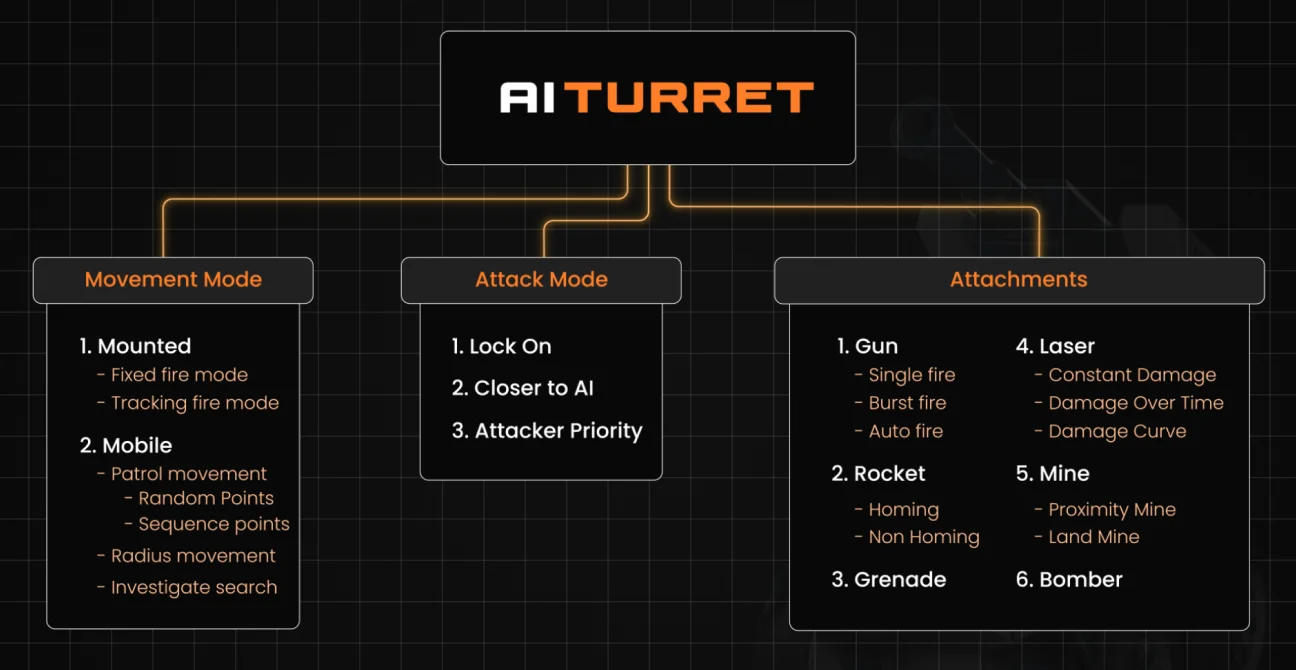
The framework is built around three decisions you make per turret: how it moves, how it decides what to shoot, and what it’s shooting with. That sounds simple, but it’s the combination of those three that lets one system cover everything from a stationary sentry gun to a roaming bomber.
Movement Modes
- Mounted a stationary turret, with two firing behaviors: Fixed-Fire (only engages targets inside a set field of vision, good for chokepoints and doorway defenses) and Tracking-Fire (rotates to keep a target in sight once acquired).
- Mobile the turret actually moves. Inside Mobile you get further sub-behaviors: Patrol (sequential or random points), Radius (roams within a defined area, tightening its leash as a target nears the edge), and Investigate (the only mode where the turret reacts to sound).
Targeting Priority (Attack Mode)
Every turret picks targets one of three ways: lock onto one target and commit, prioritize whoever’s closest, or prioritize whoever’s currently dealing it damage. That last one matters more than it sounds it stops turrets from tunnel-visioning on a decoy while the actual damage dealer walks past.
Lock on: Locks the target and will keep on attacking it until it’s dead or unable to be detected by the turret.
Closer to AI: The Turret will start attacking those who are closer to the turret.
Attacker Priority: The turret will prioritize the targets that are damaging the turret.
Six Attachment Types
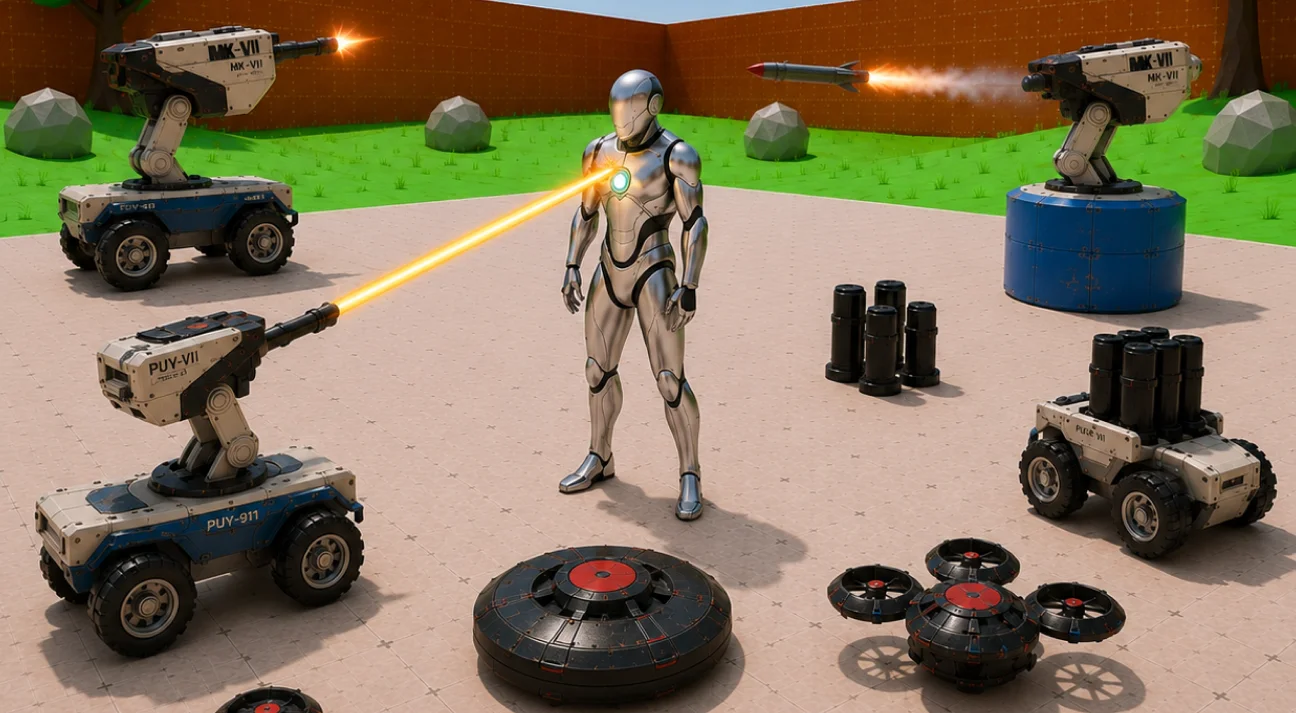
Each attachment type is swappable on the same turret base: Gun, Rocket Launcher, Grenade Launcher, Laser Shooter, Bomber, and Mine Placer. Each has its own damage model the Laser Shooter alone supports three ways to scale damage (constant, ramping-over-time, or driven by a custom damage curve), which was one of the more fiddly parts to get feeling right in testing. Too aggressive a ramp and it kills before the player can react; too flat and it doesn’t feel like a laser.
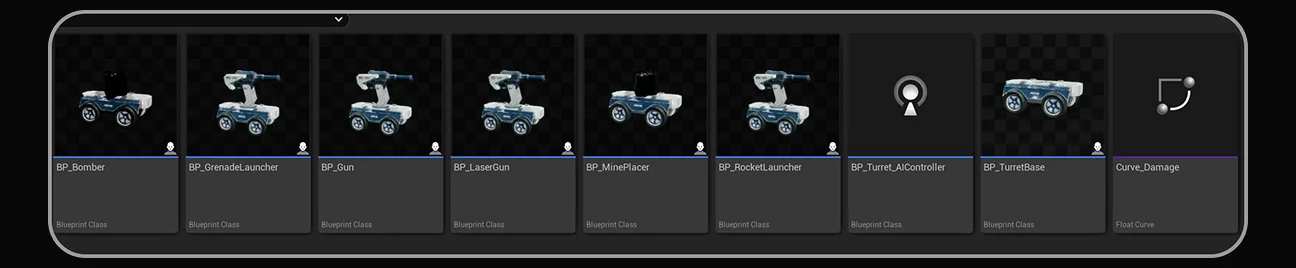
Every attachment blueprint ships pre-built and ready to drag into a level you’re not assembling a Bomber turret from a base mesh and loose components; it’s already there as TurretBase_Bomber, TurretBase_LaserGun, and so on.
Sound, Sight, and Actually Being Fooled
The turret’s perception is handled through Unreal’s AI Perception system, and this is where the “smart” part of the framework shows up. Sight has separate radii for noticing a target versus losing one (so turrets don’t instantly forget someone who ducks behind cover for half a second), plus a peripheral vision angle so a turret facing away from you genuinely can’t see you.
Sound only matters in Investigate mode a turret patrolling that way will path to a noise, search the area a set number of times, and give up if it can’t find anything. One detail we had to tune carefully: loudness. A noise reported above a certain threshold can be heard outside the turret’s normal hearing range, which is powerful but easy to abuse if you’re not careful with the values we found keeping it in the 1–5 range is where it behaves predictably instead of turrets hearing gunfire from across the map.
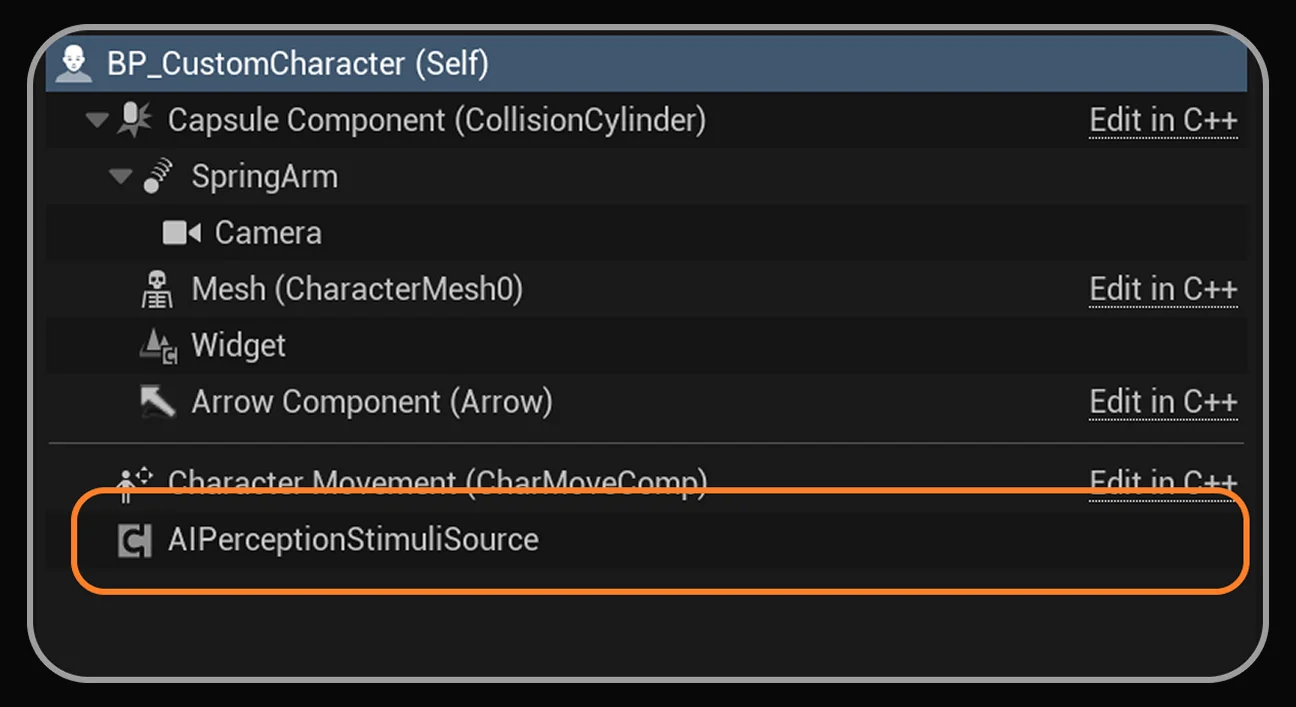
Team-Based Targeting the Part We’re Actually Proud Of
This is the feature that pushed us to build the whole thing in C++ rather than pure Blueprint. Turrets support IGenericTeamAgentInterface, Unreal’s team-affiliation system, which means you can set up factions where turrets fight turrets, not just turrets-vs-player. That’s not exposed as a Blueprint-only interface in the engine, so getting your own Character class to talk to it properly does require implementing it in C++ we’ve documented that step precisely because it trips people up, since it needs the interface implemented, its functions overridden, and a FGenericTeamID variable set on your Character class.
If you don’t need custom team logic, you can skip all of that and just derive your Player Controller and Character from our provided base classes same detection behavior, zero code required.
What’s in the Details Panel (i.e., What You’re Actually Configuring)
We designed the exposed parameters so a level designer, not just a programmer, could tune turret behavior entirely from the Details panel.
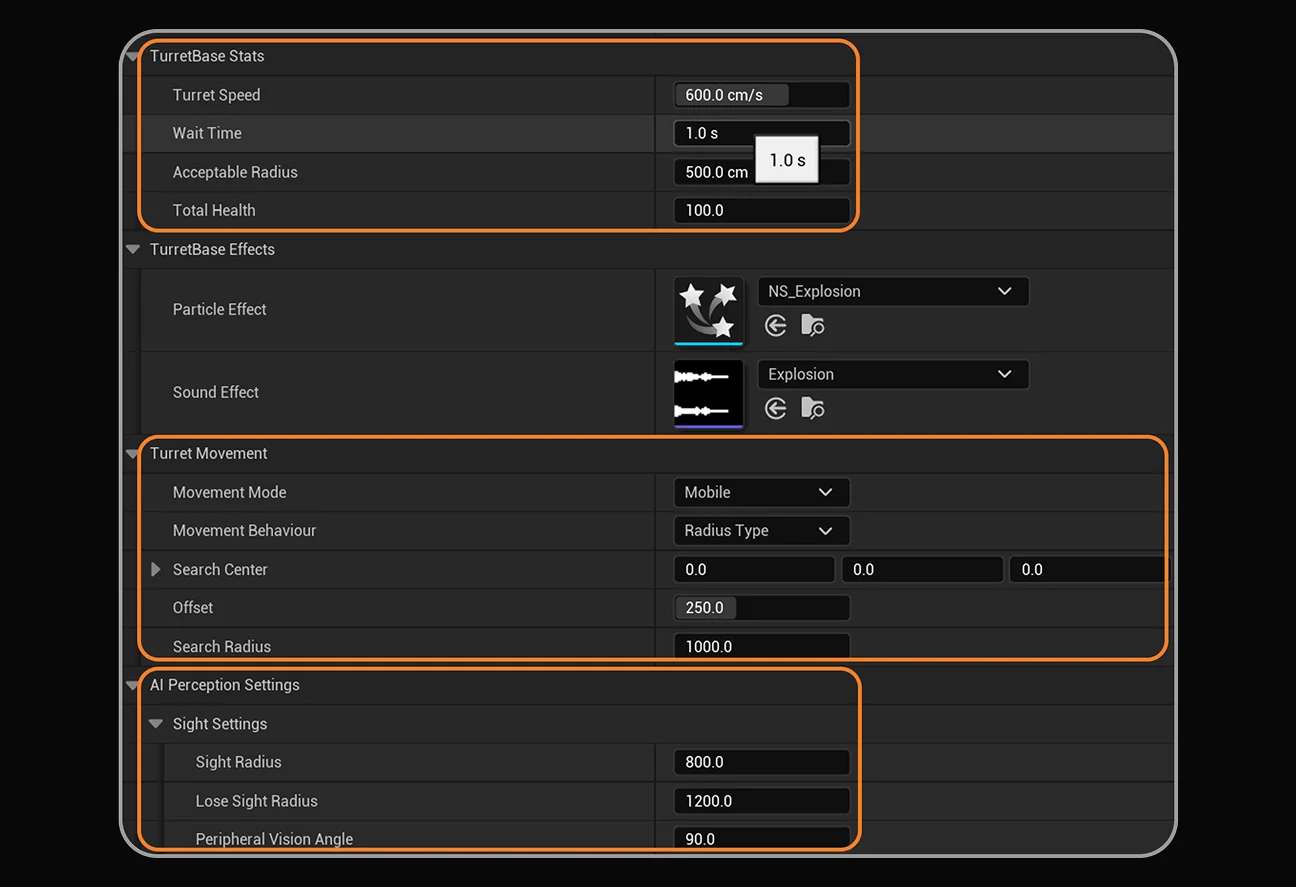
Turret speed, health, movement mode, patrol behavior, sight radii all one panel, no digging through Blueprint graphs to find the exposed variable you need.
Getting It Running
The setup path is deliberately short:
- Install and enable the plugin from the Plugins menu.
- Enable “Show C++ Classes” and “Show Plugin Content” in the Content Browser settings.
- Drag any of the pre-built turret variants (TurretBase_Gun, TurretBase_LaserGun, TurretBase_Bomber, etc.) into your level.
- Set base stats and movement behavior in the Details panel.
- Either derive your Character/Controller from our base classes, or implement IGenericTeamAgentInterface yourself for full team control.
- Add a custom collision trace channel for the turret’s shoot trace this one’s not optional. Skip it and the turret simply won’t deal damage to the player, since its hit trace won’t resolve against your character’s collision.
That last step is the one people miss most often, so it’s worth flagging here too: whatever trace channel you assign under ShootTrace Channel on the Attachment component has to be set to Block on your character mesh’s collision response. It’s a two-minute fix, but a turret that visibly fires and does nothing is a confusing bug to debug blind.
Why We Built It This Way
We didn’t want a system where “adding a new turret” meant duplicating Blueprint graphs and hoping you didn’t miss a node. Every attachment type Gun, Rocket, Grenade, Laser, Bomber, Mine shares the same base damage, projectile, and targeting framework underneath, so extending it (say, adding your own seventh weapon type) means inheriting from ProjectileParent or ThrowableParent rather than rebuilding targeting logic from zero. That’s a design choice that comes directly from having rebuilt this same system too many times on client work before we finally packaged it properly.
Get It
The Advanced AI Turret Framework UE5 Ready is live now on Fab.
Building for Unreal Engine specifically? This one’s Fab-only for now. For our Blender and Unity tools, check out our full catalog: