URP vs HDRP: Picking the Right Unity Render Pipeline for Your Game
The render pipeline decision in Unity is one of the most consequential choices a project makes, and one of the hardest to reverse later. Getting it wrong doesn’t just cost visual quality. It costs weeks of shader migration, material conversion, and artist rework at the point when the team can least afford it.
Unity currently offers two scriptable render pipelines for production game development: the Universal Render Pipeline and the High Definition Render Pipeline. They share an engine, a toolset, and a company, but they are built for fundamentally different projects, target fundamentally different hardware, and make fundamentally different tradeoffs.
This guide explains what those tradeoffs actually are and how to make the decision for your specific project, not just in abstract terms.
- What the Universal Render Pipeline Is
- What the High Definition Render Pipeline Is
- The Practical Differences That Actually Matter
- Platform Targets Drive the Decision More Than Anything Else
- Can You Switch from URP to HDRP Later?
- Visual Quality Ceiling: Honest Numbers
- Team Size and Technical Art Capability
- Asset Store Compatibility
- The Decision Framework
- Frequently Asked Questions
What the Universal Render Pipeline Is
URP is Unity’s performance-first render pipeline. It replaced the old Built-in render pipeline as the default recommendation for new projects and is designed to run well across a wide range of hardware, from high-end PC down to mid-range mobile.
The underlying architecture prioritises render speed and cross-platform compatibility over visual ceiling. URP uses a single forward renderer by default, which processes lights efficiently and is well-suited to platforms where fill rate and memory bandwidth are constrained. It supports a deferred rendering path as well, added in later Unity versions, which handles scenes with many lights more efficiently, but forward remains the performance default.
What URP is good at: reaching a large hardware audience, running on mobile and console simultaneously, shipping to WebGL, maintaining consistent frame rates on lower-end devices, and providing a stable, well-supported pipeline that isn’t going to break after a major Unity update.
What URP is not: a pipeline designed to push visual quality to its limit. It’s capable of looking excellent with good art direction, but there are rendering features, volumetric lighting, certain shadow techniques, screen-space global illumination, that are either absent in URP or significantly less capable than their HDRP equivalents.
What the High Definition Render Pipeline Is
HDRP is Unity’s quality-first render pipeline. It’s designed for projects that need photorealistic or cinematic visuals and are targeting hardware powerful enough to deliver them, high-end PC, PlayStation 5, and Xbox Series X/S being the primary targets.
HDRP uses physically based lighting and exposure throughout. Everything from material properties to light units to camera settings is grounded in real-world physical values. This produces rendering that holds up to close inspection and handles complex lighting scenarios naturally, but it also means there’s significantly more to configure correctly before a scene looks right.
What HDRP is good at: photorealistic environments, complex dynamic lighting with multiple shadow-casting light sources, volumetric fog and atmospheric effects, screen-space reflections, ray tracing on supported hardware, and cinematic depth-of-field and motion blur. Architectural visualisation, high-end PC games, and console titles targeting PS5 or Xbox Series X are natural fits.
What HDRP is not: a good choice for mobile, for teams without strong technical art capability, or for projects where maintaining a stable 60fps across a wide range of hardware is more important than visual quality ceiling.
The Practical Differences That Actually Matter
Reading feature lists is useful but doesn’t quite capture the lived difference between using URP and HDRP in a real production. A few things that matter more than they initially appear:
Artist workflow and lighting setup
In URP, lighting is reasonably intuitive. Artists familiar with the old Built-in pipeline will feel at home quickly. In HDRP, the physically based lighting model means values need to be calibrated in physical units, lux for illuminance, nits for luminance. A light set to the wrong physical value looks wrong in ways that can be confusing before a team understands why.
This is not a flaw in HDRP, it’s the cost of physical accuracy. But it means teams moving to HDRP from Built-in or URP need to invest time in understanding the lighting model before their scenes look good rather than simply bright.
Shader and material compatibility
URP and HDRP each have their own shader library. Materials authored in one pipeline don’t automatically work in the other. A built-in pipeline material needs to be converted or replaced when moving to either URP or HDRP. A URP material needs to be replaced or re-authored when moving to HDRP. Third-party assets from the Unity Asset Store may or may not support both pipelines, always check compatibility before purchasing.
Performance budget
HDRP features have real costs. Volumetric fog, screen-space ambient occlusion, and contact shadows each consume frame time that URP equivalents (where they exist) cost significantly less. A game that runs at 60fps in HDRP on a mid-range PC might drop to 40fps with all features active at the same resolution.
This is expected behaviour, HDRP is not designed for mid-range PC. But teams that choose HDRP for aesthetic reasons and then need to hit a 60fps target on hardware below RTX 3070 class often end up disabling features until the pipeline’s advantage over URP is minimal.
Platform Targets Drive the Decision More Than Anything Else
The fastest way to make this decision correctly is to start with platform targets, not feature lists.
If mobile is a target platform, use URP.
HDRP does not support mobile. This is not a limitation that’s coming to change, the pipeline’s architecture assumes GPU capabilities that current mobile hardware doesn’t have and won’t have for some time. Any project that needs to ship on iOS or Android uses URP or a custom solution. Full stop.
If the primary target is high-end PC or current-generation console (PS5, Xbox Series X/S), HDRP is worth serious consideration.
These platforms have the GPU headroom that HDRP requires. A PS5 game targeting 30fps has a generous rendering budget that HDRP can fill with genuine visual quality improvement over URP. High-end PC games targeting RTX 4080 and above can enable ray tracing features that URP doesn’t support at all.
If the target spans mid-range PC and current-generation console, the decision requires more nuance.
A game targeting both Steam (where the hardware range is enormous) and PS5/Xbox Series X typically means either shipping with HDRP and implementing aggressive quality scalability settings, or shipping with URP and accepting that PS5 visual quality ceiling is lower than it could be. Neither answer is universally correct, it depends on how wide the target hardware range is and how important visual quality ceiling is to the game’s commercial positioning.
If the target includes Nintendo Switch, use URP.
Switch is a mid-range mobile chip. HDRP is not viable. URP is the correct choice and performs well on Switch with appropriate optimization.
Can You Switch from URP to HDRP Later?
Technically yes. In practice, it’s a significant undertaking that most teams would prefer to avoid.
The switch requires converting every material in the project from URP shaders to HDRP shaders, reconfiguring lighting throughout every scene using HDRP’s physical units, replacing any URP-specific effects with HDRP equivalents, and testing extensively because visual outputs that looked correct in URP often don’t translate to HDRP automatically.
For a small project with a limited material library and a few scenes, a pipeline switch mid-development is painful but manageable, potentially a week of focused work. For a large project with hundreds of unique materials across many levels, a late pipeline switch can cost months.
The practical lesson is that the pipeline decision should be made before significant art production begins, not after. Making the decision during pre-production, when the cost of changing course is low, is significantly less painful than making it six months into production when it isn’t.
This connects directly to how teams scope early production, the same principle behind how long a game prototype actually takes to build, where pipeline choice is one of several decisions that becomes significantly more expensive to reverse after the first sprint.
If there’s genuine uncertainty about platform targets early in development, URP is the safer default. Moving from URP to HDRP later is difficult. Optimizing a URP project to perform better is straightforward.
Visual Quality Ceiling: Honest Numbers
One of the persistent debates about URP vs HDRP is whether the visual quality difference is as large as it’s sometimes claimed. The honest answer is that it depends heavily on the art style and the hardware target.
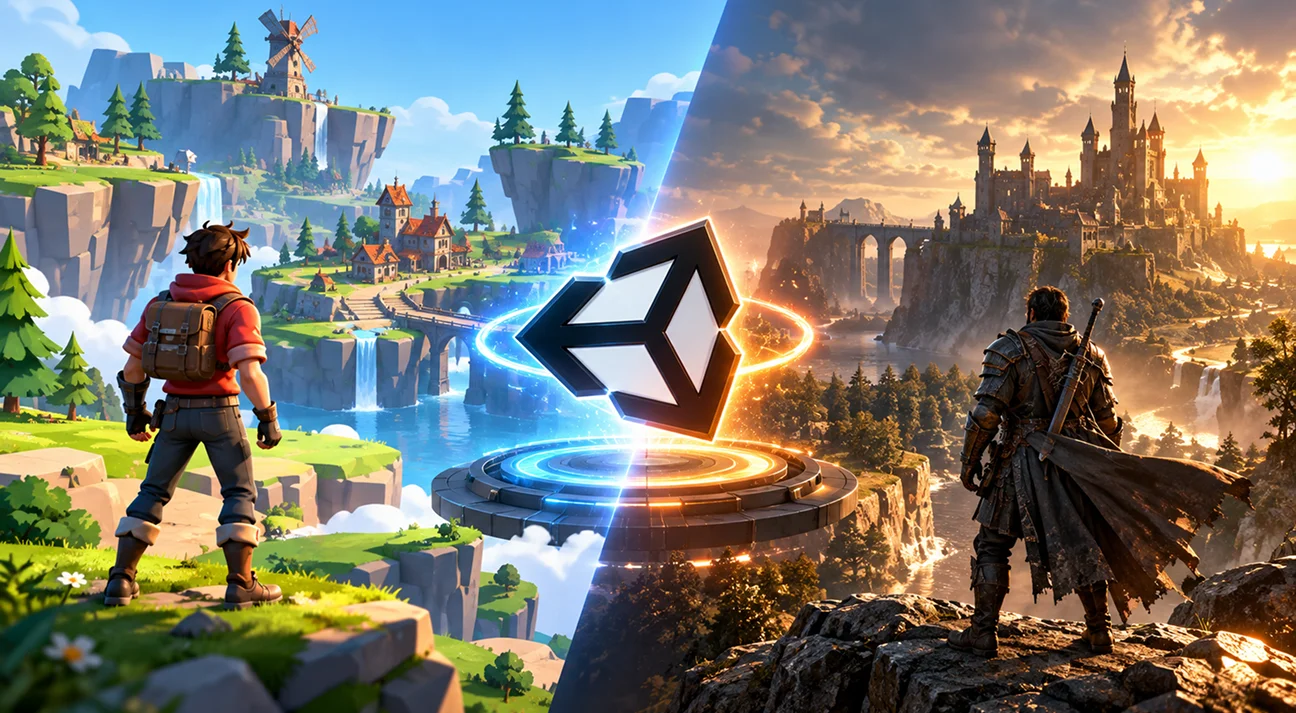
For stylised games, cel-shaded, low poly, or strong graphic design aesthetics, URP is more than capable of producing visuals that look excellent. The pipeline’s limitations are most visible in realistic lighting scenarios where indirect illumination, volumetric effects, and physically accurate shadows matter. A well-art-directed stylised game in URP can look better than a poorly executed realistic game in HDRP.
For photorealistic or near-photorealistic games targeting high-end hardware, HDRP’s advantage is genuine and visible. Volumetric clouds and fog, physical sky rendering, screen-space global illumination, contact shadows, and hardware ray tracing are either absent or significantly less capable in URP. On hardware that can run them, these features produce a clear visual quality difference.
The question to ask is not “which pipeline looks better in benchmarks?” but “does my game’s art style and target hardware require what HDRP offers that URP doesn’t?” If the answer is yes, HDRP. If the answer is no or uncertain, URP.
Team Size and Technical Art Capability
A factor that rarely gets mentioned in URP vs HDRP comparisons is team composition.
HDRP requires stronger technical art capability to use well. Setting up a scene that looks correct under HDRP’s physical lighting model takes experience that many generalist artists don’t have without specific training. Getting HDRP to look better than URP, rather than just different, requires understanding how to configure exposure, light layers, contact shadows, and volumetric effects in ways that take time to learn.
For teams with a dedicated technical artist or a rendering programmer who knows HDRP well, this is not a blocker. For small indie teams where art is handled by generalists or the programmer, HDRP setup complexity is a real cost that can slow production significantly.
URP is not technically simpler in every way, it has its own shader graph, its own renderer features, and its own gotchas, but its lighting model is less demanding to configure correctly, and incorrect configurations fail more gracefully than HDRP equivalents.
Also, for studios without a dedicated technical artist, the complexity of HDRP’s physical lighting model is a real production cost, one reason many teams partner with best game development studios for environment art and rendering setup rather than building that capability from scratch.
Asset Store Compatibility
This is a practical consideration that gets overlooked in engine-level discussions.
Unity’s Asset Store has assets labelled with pipeline compatibility. Many assets support all three pipelines (Built-in, URP, HDRP). Some support only one or two. A particularly strong asset pack may be URP-only, meaning it requires significant work to port to HDRP. Checking pipeline compatibility before purchasing any significant asset is basic production hygiene.
It also connects to the broader question of build vs buy in game development, the same reasoning that makes pre-built modular environments worth evaluating early applies here: knowing your pipeline before purchasing environment assets removes an entire category of rework from the production schedule.
For 300Mind’s Unity assets, environment packs, UI kits, and systems all products are tested for compatibility across Built-in, URP, and HDRP pipelines. They work regardless of which pipeline your project uses. That’s worth confirming for any asset before it enters the project, not after.
All three pipelines are worth confirming for any asset before it enters the project. For environment packs specifically, the Spanish City Pack and Morocco City Pack available on Unity Asset Store support Built-in, URP, and HDRP out of the box the kind of thing worth knowing before purchasing rather than after.
The Decision Framework
Before choosing a pipeline, answer these questions:
1. Is mobile a target platform?
If yes → URP. No further analysis needed.
2. Is Nintendo Switch a target platform?
If yes → URP. No further analysis needed.
3. What is the primary target hardware?
High-end PC or current-gen console only → HDRP is worth serious consideration.
Mid-range PC or wide hardware range → URP or URP with careful scalability.
Console + mobile → URP.
4. Is photorealism a core visual goal?
If the game’s commercial positioning depends on photorealistic environments and lighting, HDRP’s ceiling justifies its complexity. If the game’s art style is stylised, URP is sufficient.
5. Does the team have technical art capability to use HDRP correctly?
If not, URP produces better results faster, HDRP used badly looks worse than URP used well.
6. How far into production is the project?
Early pre-production → choose correctly now. Mid-production → switching is expensive; consider whether the visual improvement justifies it. Late production → don’t switch.
Frequently Asked Questions
The right choice depends on your platform targets and art direction. Use URP if your game targets mobile, Nintendo Switch, or a wide PC hardware range, URP is optimised for cross-platform performance and works across all these targets. Use HDRP if your game targets high-end PC or current-generation consoles (PS5, Xbox Series X/S) and needs photorealistic lighting, volumetric effects, or ray tracing. For most indie games and any game with a mobile target, URP is the correct default.
Yes, but it’s a significant undertaking. Switching pipelines requires converting all materials from URP to HDRP shaders, reconfiguring scene lighting using HDRP’s physical units, replacing URP-specific effects, and extensive testing. For small projects, this may take a week. For large projects, it can take months. The pipeline decision should be made during pre-production before substantial art production begins. If unsure, URP is the safer early default since it’s easier to accept URP’s lower ceiling than to reverse a late-stage pipeline switch.
URP is the right choice for mobile, HDRP does not support iOS or Android. For console, it depends on the platform: Nintendo Switch requires URP; PlayStation 5 and Xbox Series X/S can support HDRP and benefit from it at 30fps targets; Xbox Series S requires more careful optimization. For projects targeting both mobile and any console, URP is the only viable choice. For current-gen console-exclusive or high-end PC projects, HDRP is worth considering.
No. HDRP does not support mobile platforms (iOS, Android) or WebGL. It requires GPU capabilities that current mobile hardware does not have. Any project with a mobile target must use URP or the Built-in render pipeline.
URP is capable of producing excellent visuals on high-end PC hardware with good art direction and custom shader work. Its ceiling is lower than HDRP, volumetric lighting, screen-space global illumination, hardware ray tracing, and physical sky rendering are either absent or significantly less capable in URP. For photorealistic high-end PC games where these features matter, HDRP is the better choice. For stylised games or games where those specific features aren’t central to the visual identity, URP on high-end PC is entirely viable.
Unity’s Built-in render pipeline is the legacy renderer that predates URP and HDRP. It’s still supported but is no longer receiving significant feature development. Unity recommends new projects use URP or HDRP rather than Built-in. Existing projects using Built-in can continue to do so but migration to URP or HDRP is advised for projects planning to use modern Unity features. Most third-party assets still support Built-in for backward compatibility.